
Timesheets
June 2026 Product Updates
Last updated: 23rd June, 2026Unapproved Timesheet Entries Warning
Timesheet export dialogs now clearly show which employees have entries that aren’t ready, making it easier to review and audit everything before running payroll. This added visibility helps you quickly confirm accuracy and ensure everyone is paid correctly.
Unscheduled Timesheet Rounding
Unscheduled timesheet entries can now be automatically rounded using your timesheet rounding rules. When an employee clocks in without a scheduled shift, their time entry will be automatically rounded according to your existing settings, helping you to keep payroll consistent and accurate.
April 2026 Product Updates
Last updated: 22nd April, 2026Absences in Timesheets
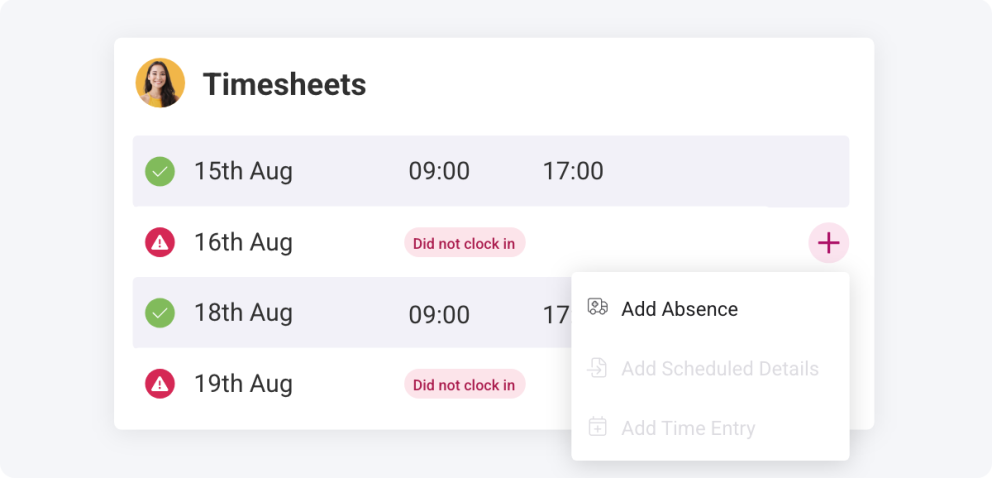
No more timesheets stuck with the “dreaded red dot”. You can now mark employees as absent to confirm missing timesheets and specify whether absences are paid. Absences can also be recorded directly from Time Clock, helping you manage each day as it happens and export everything in your pay reports, ready for payroll.
January 2026 Product Updates
Last updated: 19th January, 2026Link Unscheduled Timesheets to Shifts
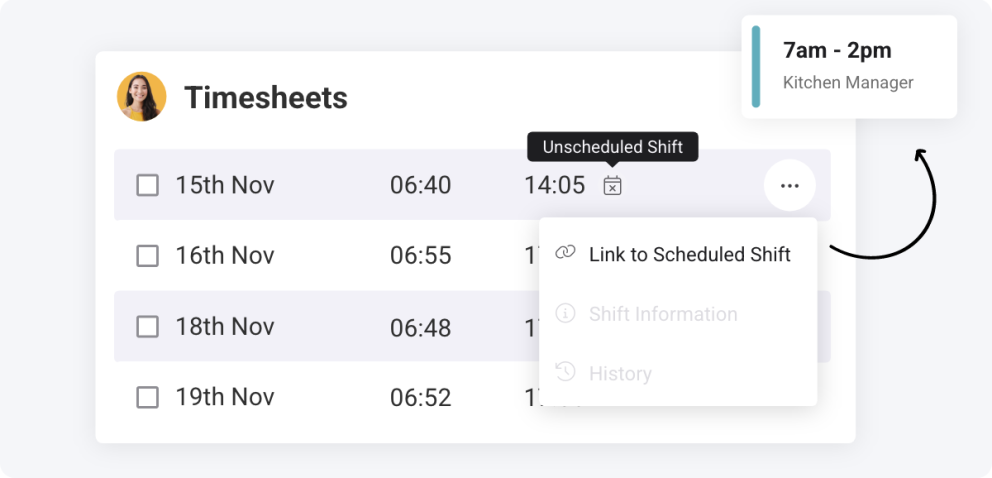
Have employees accidentally logged unscheduled timesheet entries? This new action lets you connect them to the correct shift, letting you compare scheduled entries against the actual worked hours, and round the timesheet as needed.
Public Holidays in Timesheets
It’s now easier to pay employees for public holiday breaks. By enabling public holidays in an employee’s leave policy, you can quickly add them to timesheet entries and include them in payroll exports, saving time and reducing manual adjustments.
August 2025 Product Updates
Last updated: 26th August, 2025Persistent Filters in Timesheets
The Timesheets page now remembers your filter selections, so you can easily pick up where you left off. Whether navigating the system or switching between pay periods, you’ll stay focused on the selected employee, location or employment type, making auditing faster.
July 2025 Product Updates
Last updated: 22nd July, 2025Bulk Add Scheduled Details to Timesheets
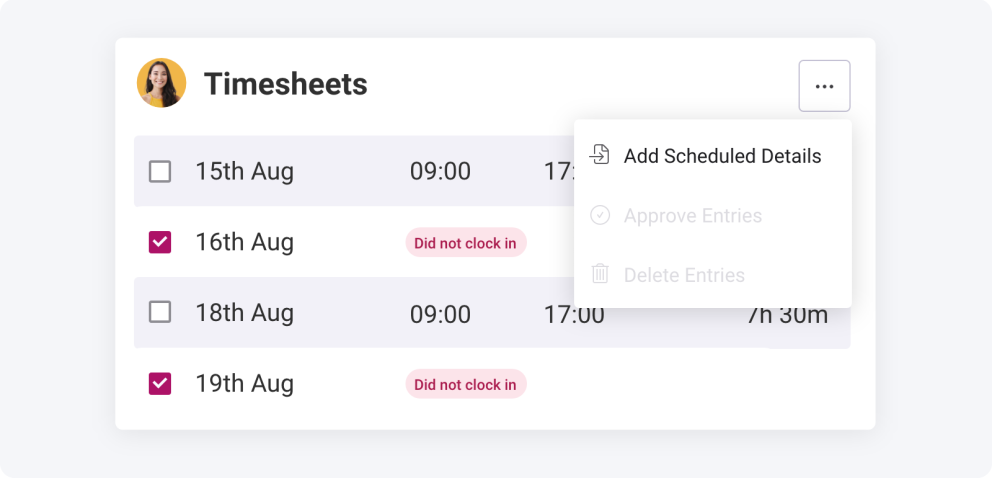
Tediously adding missing timesheet data is now a thing of the past! When employees forget to clock in for their shifts, you can bulk import the scheduled data as timesheets, and Shiftie will manage creating them for you quicker than you can say “Shift Scheduling Made Simple”!
June 2025 Product Updates
Last updated: 30th June, 2025Bulk Approve Selected Timesheet Entries
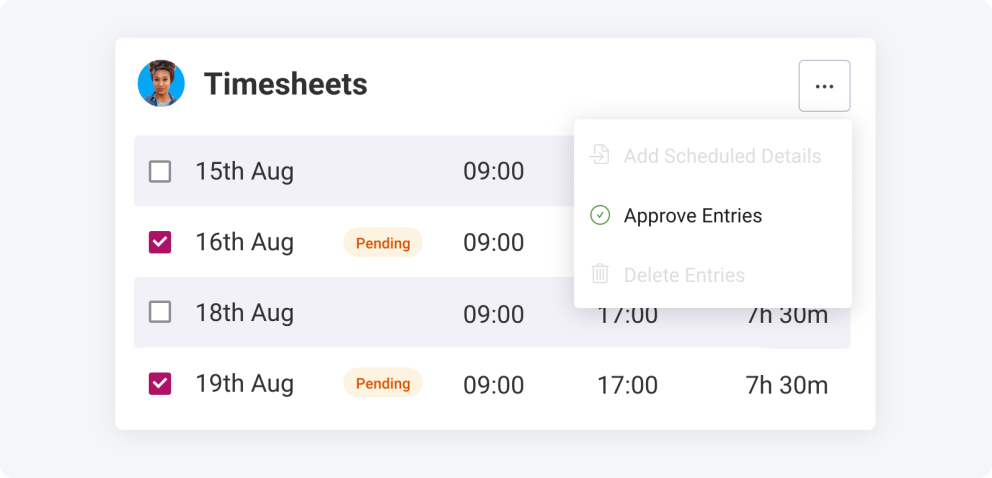
Ready to approve timesheet entries for payroll but don’t want to approve them individually or all in one go? You can now select the entries you want to approve and, at the click of a button, have them all approved! Similarly, approved entries can be selected and quickly unconfirmed for further editing before exporting.
Audit Timesheet Rounding Adjustments
If you need to double-check timesheet rounding adjustments before exporting for payroll, be it automatic or manual, you can view all changes in Timesheet History. Get a quick summary of all adjustments made and even view the original clocking times to ensure employees are paid correctly.
Manual Timesheet Rounding
Not a fan of automatic rounding and prefer a more manual approach? Use Shiftie’s manual rounding action to quickly update timesheets to your predefined rules and watch the magic happen right before your eyes!
Automatic Timesheet Rounding
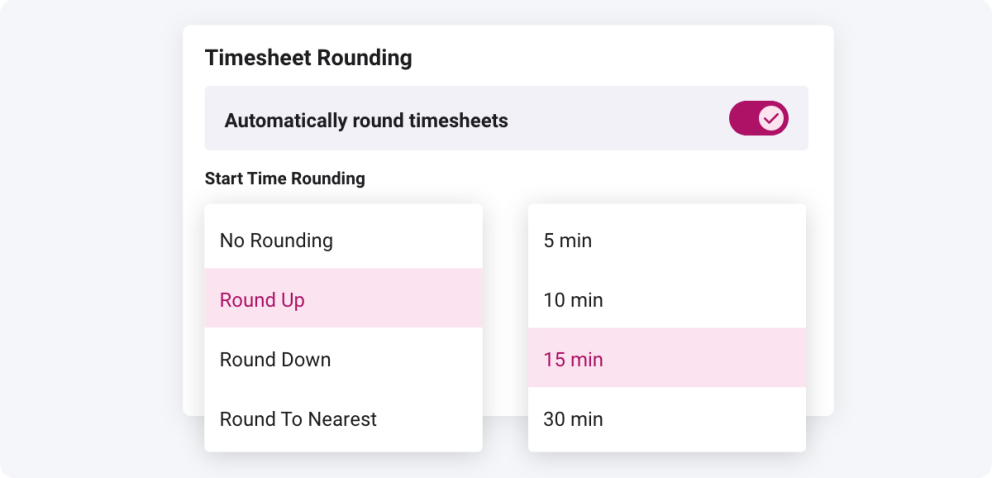
Enable automatic rounding to save hours from ensuring every timesheet entry meets your payroll rules. No more manual editing of timesheets to keep data in shape, sit back and relax while Shiftie does the hard work for you.
October 2024 Product Updates
Last updated: 28th October, 2024Export Leave in Timesheets
Paid leave hours are now exportable with your timesheet records in a pay breakdown to share with your payroll teams or import to payroll software. All leave requests will also be exportable separately with their paid hours to store for future reference or share with others.
September 2024 Product Updates
Last updated: 17th September, 2024Introducing Leave to Timesheets
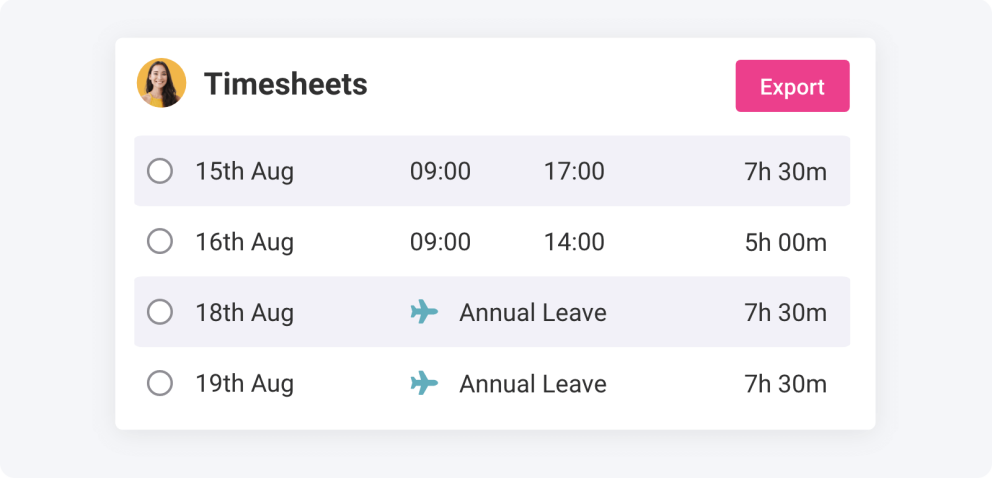
We know your team aren't only paid when they're physically working. Timesheets now include approved time off, which is factored into the total paid hours for the period, providing a more accurate payment calculation.
July 2024 Product Updates
Last updated: 18th July, 2024Timesheet History
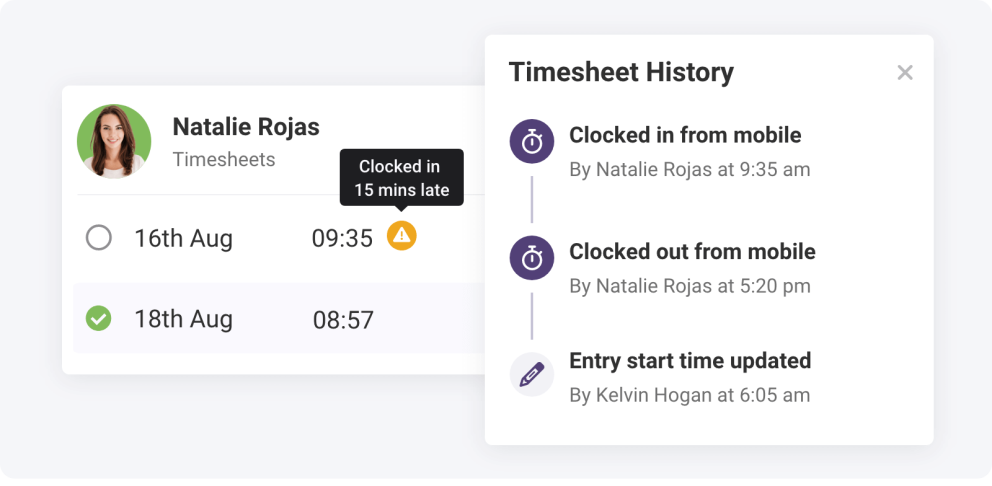
Have you been concerned by oddities in your team’s timesheet entries? Timesheet history lets you easily audit employee entries and discover any changes made by managers or other staff members. You now have a full set of tools to easily spot where concerns may have occurred, quickly message your team to discuss the reasons, and edit the entries so they’re accurate before approving for payroll.
April 2024 Product Updates
Last updated: 15th April, 2024Mobile Timesheets
Following the recent upgrades to Timesheets on desktop, these are now also available on mobile devices to let you easily review and approve entries on the go.
January 2024 Product Updates
Last updated: 15th January, 2024New-Look Timesheets
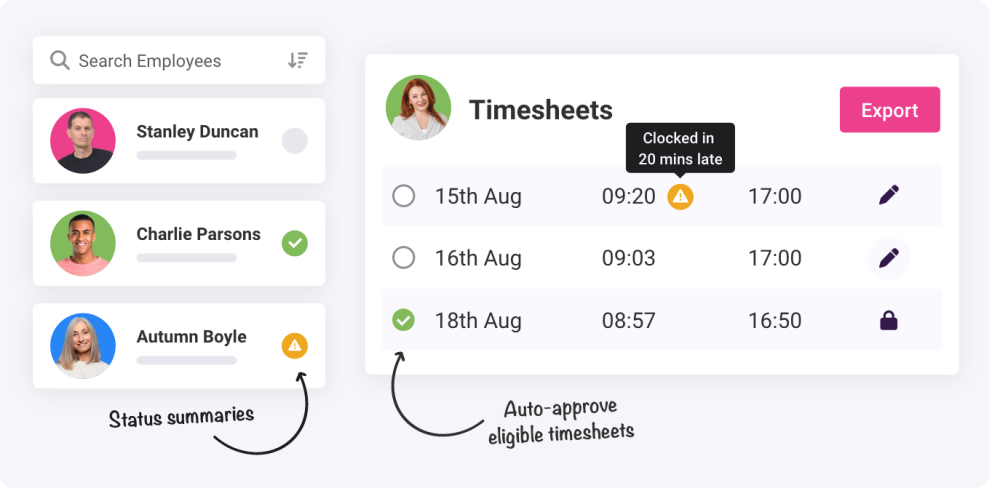
Our timesheets module has had a refresh, simplifying and streamlining the process for reviewing employee time entries.
Simplified View The key change has been streamlining the module to contain all the information you need on a single centralised page. You now have the ability to jump between employees while remaining in the same view, making it quicker and easier to handle your teams' time entries. Quick Tools We’ve also introduced additional tools to let you effortlessly add details for missed shifts based on the schedule or quickly approve bulk entries. This speeds things up whether an employee has forgotten to clock in or has consistently clocked in perfectly, leaving you able to pay your team promptly and save the time to spend on more exciting jobs. Advanced Filters Our filter enhancements make finding individual time entries easier, too. Search for entries with particular tags, or filter to view specific employment types like full-time and part-time. No more wasting time trawling through different employee profiles to find the information you need; instead, it’s right at your fingertips.
October 2023 Product Updates
Last updated: 1st October, 2023Auto Clock Out For Unscheduled Shifts
Fed up of unscheduled shifts running on for days or weeks when your team forget to clock out of them? Us too; that's why we've introduced a new auto-clock-out setting. Going forward, unscheduled shifts will automatically end after 12 hours if they aren't stopped before, with the timesheet defaulting back to a 1-hour shift, ready for you to edit as required.
June 2023 Product Updates
Last updated: 1st June, 2023Automatic Timesheet Approvals
You can now set timesheets to automatically be approved if they meet your specifications, saving valuable admin time.
April 2022 Product Updates
Last updated: 1st April, 2022Additional Timesheet Ranges
We’ve introduced the ability to view and export your timesheets by fortnight as well as by month or week.
