
Scheduling
April 2025 Product Updates
Last updated: 30th April, 2025Multiple Schedule Event Types
Schedule events can be used to announce important dates and messages to your workforce. With this update, managing your events is even simpler, allowing you to assign multiple event types to the same event.
Shift Conflict Details
The shift conflicts panel on the schedule provides schedule managers with improved visibility and control over potential shift conflicts. Each conflict can now be addressed directly from the scheduling interface, leveraging additional insights and shift management capabilities.
March 2025 Product Updates
Last updated: 31st March, 2025Shift Areas
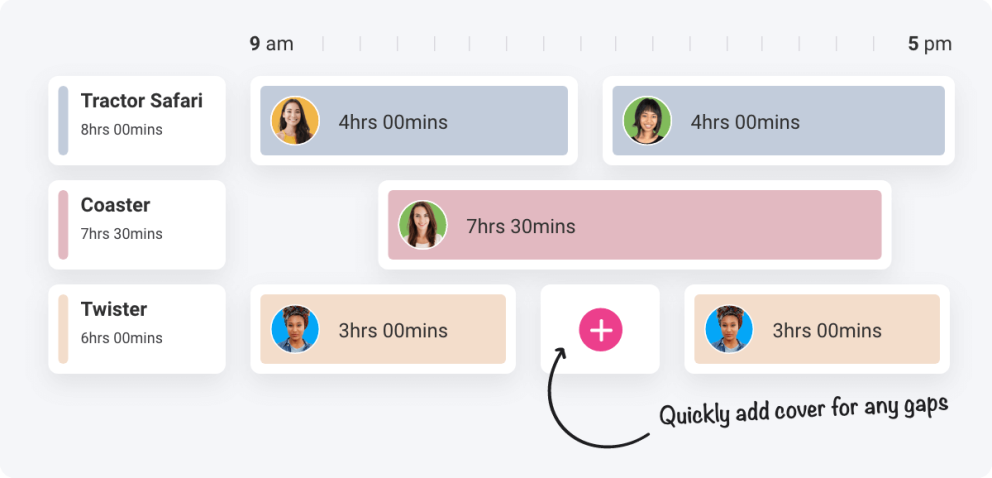
Assign shift areas to your employees' shifts and view all area allocations on the schedule to ensure optimal coverage. This feature makes sure that employees are allocated to the right place at the right time, enhancing visitor experiences.
February 2025 Product Updates
Last updated: 20th February, 2025Edit Past Shifts
Shiftie now allows shift managers to adjust shifts that started in the past. Shifts that have not been clocked into will be fully editable, while shifts that employees have already clocked into will be restricted with only the shift end time, tags, and notes able to be adjusted. This enables managers to tell their staff to come in earlier or later and add additional details at the last minute.
Split Shift Form Tabs
The create and edit shift form has been split into two tabs; basic and advanced details. From the basic tab, you can set the shift times, job role and location, as well as any breaks or allocated shift areas. The advanced tab lets you add additional details such as tags and notes. This cleaner interface smooths the process of scheduling shifts.
Repeat Shift
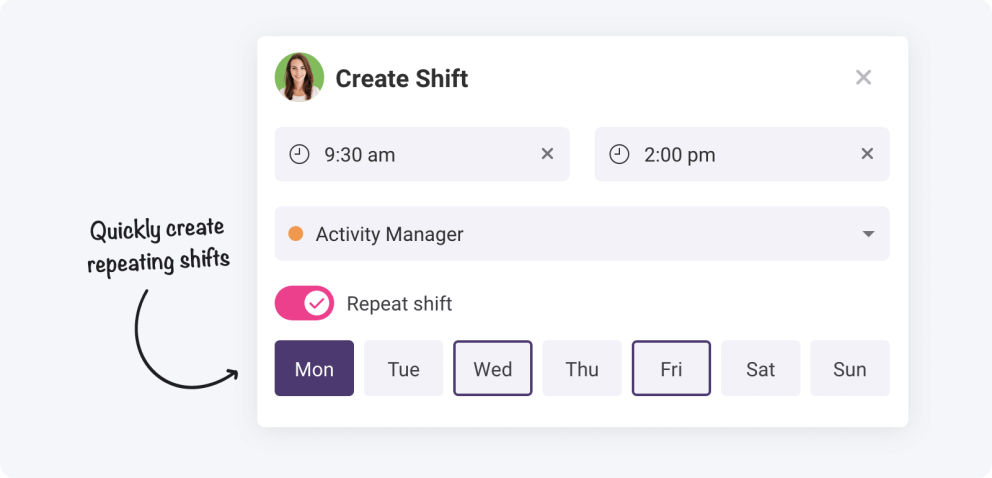
Shift managers can now schedule a whole week’s worth of shifts in one click! This simplifies setting up your schedules and allows you to build schedule templates faster. Additionally, you can duplicate employees' shifts and move them around the schedule for easier schedule management.
December 2024 Product Updates
Last updated: 12th December, 2024Split Shift Form Tabs
The create and edit shift form has been split into two tabs; basic details and shift breaks. Ultimately, the breaks tab will include the ability to assign shift areas for the scheduled employee. Sessions are ordered chronologically for easy management of breaks and areas.
Shift Details Panel
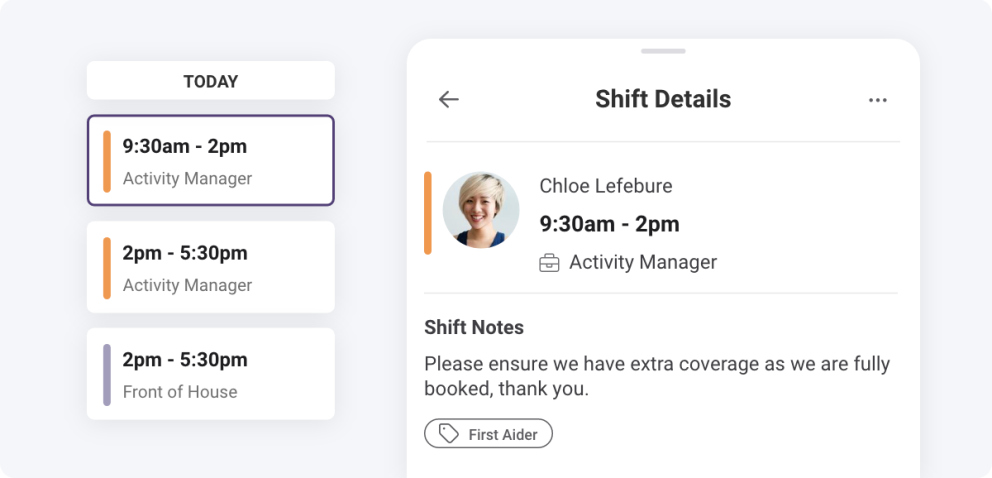
A new shift details panel will provide more detailed information about each shift for employees and shift managers on both desktop and mobile devices. Quickly view all the information about a shift and act on it as necessary; no more guessing whether it’s the right shift to claim, edit, or approve.
November 2024 Product Updates
Last updated: 28th November, 2024Allow Employees To Claim Open Shifts On Non-Working Days
A new schedule setting enables employees to claim open shifts on their days off and notify them that these shifts are available to pick up. Not a fan? This can be turned off so that staff can only claim shifts for the days they usually work.
October 2024 Product Updates
Last updated: 3rd October, 2024Locations on Shift Templates
Following Shiftie’s split of locations and schedules, shift templates will now be assigned to locations too. Fewer templates will be required for scheduling across multiple schedules, making it easier to find and assign prebuilt shifts for employees, including where they’re working.
September 2024 Product Updates
Last updated: 24th September, 2024Create Shift Dialog Improvements
We live by our motto: scheduling made simple. Creating shifts is even simpler with an improved flow to quickly pre-fill shift details and make minor adjustments before saving and publishing. A smoother shift creation flow for quicker and easier scheduling.
Manage Shift Templates
Improved organisation of shift templates in settings to easily find, edit or delete templates using filters and a search tool. Save time managing your templates to free up more time for applying them to your schedules.
August 2024 Product Updates
Last updated: 28th August, 2024Hide Schedule Events on the Schedule
Schedule announcements or business-closed events help to communicate busier or quieter days with your team to make informed schedule decisions. Creating more than one per day previously crammed the scheduling space, now you can toggle the events to optionally display what’s happening during the period in view. Announcements, business closed events and public holidays will still be visible in the schedule timeline headers for quick reference.
June 2024 Product Updates
Last updated: 4th June, 2024Export data from your schedules
Shiftie has a wide range of tools to help you schedule your teams with ease however we understand that nothing can be perfect. This is why we have added the ability for you to export your schedules to CSV format to manage in your favourite spreadsheet software such as Excel. This will also help in times when you just have no signal and require a downloaded version to check on the go.
Schedule Performance Improvements
As part of some ongoing changes to improve Shiftie’s performance, we have recently released some time-saving enhancements to the schedule so that your employees and shifts are loaded quicker. Spend more time scheduling and less time waiting for the dreaded spinner so you can enjoy your summer evenings.
May 2024 Product Updates
Last updated: 13th May, 2024Print Schedule Adjustments
The schedule print options have been optimised to be more understandable for a better user experience. We’ve also adjusted the job role options so that you can print the schedule in your desired format, including printing the job role colour without including the job role name for a more compact output. Use this tool to easily print the schedule and pin it to a wall in your staff rooms so your staff are always up-to-date with their shifts.
April 2024 Product Updates
Last updated: 16th April, 2024Leave Types Displaying on Schedules
Knowing when your staff are on leave is helpful but understanding their reasons is useful too. Now it’s even easier to identify the type of leave your staff have booked. From Annual Leave to Study Leave, you can now view leave type names and colours on the schedule to quickly identify why your staff are taking time off.
December 2023 Product Updates
Last updated: 21st December, 2023Delete Multiple Open Or Unassigned Shifts
We've expanded our shift deletion options; when you have multiple identical open or unassigned shifts you can select how many you want to get rid of instead of having to choose either one or all of them.
November 2023 Product Updates
Last updated: 1st November, 2023Shift Stacking On Week View
We've tidied up the schedule! If you have more than one type of unassigned or open shift set up for a day they’ll now stack one on top of the other to save space. Clicking on the top one will display all the others, as well as giving you the option to add more.
September 2023 Product Updates
Last updated: 1st September, 2023Shift Reminder Notifications
Are your employees in a perpetual state of amnesia about their shifts? Fear not, we've now added pre-shift reminders that'll make your team's life easier. Now, you can effortlessly schedule shift reminders to grace your employees' inboxes before their shifts begin. Want to give 'em a nudge 15 minutes, 2 hours, or 12 hours ahead of time? We've got you covered on all fronts.
Simply head on over to your settings, click on notifications, and voila, you'll find this option ready and waiting to be set up. Say goodbye to shift no-shows.
