
Team
August 2026 Product Updates
Last updated: 26th August, 2026Custom Pay Permissions
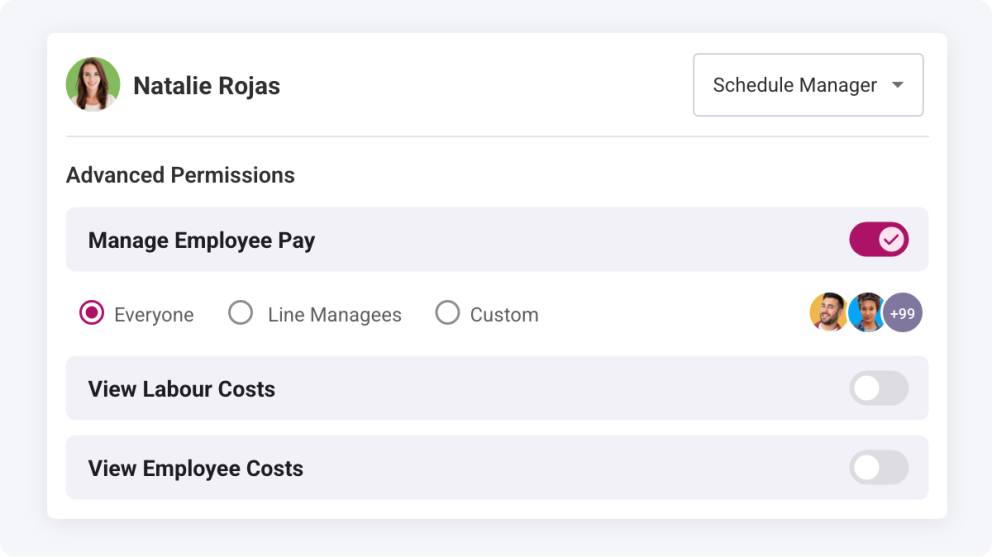
Permission levels for management staff are now more flexible. You can specify exactly which employees a manager can view pay rates and shift costs for, ensuring sensitive information is only shared where appropriate. This gives you tighter control over confidentiality and removes the worry of exposing data managers don’t need to see.
Optionally Reinvite when Reinstating Employees
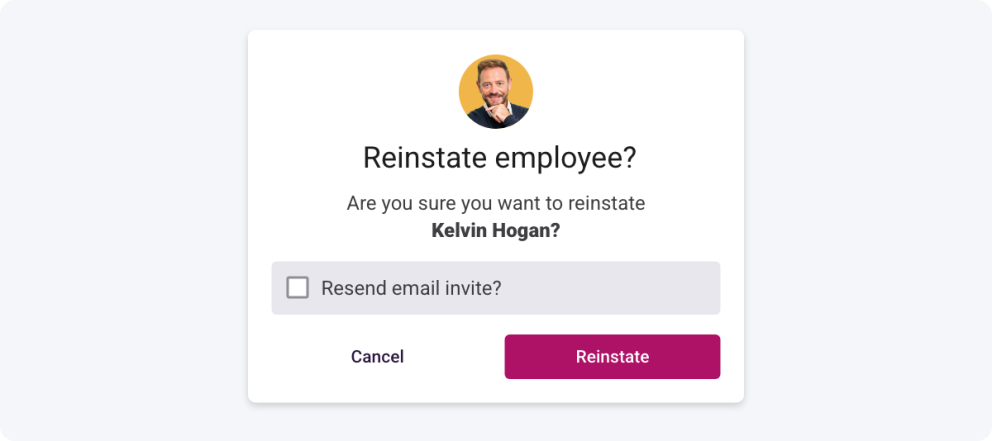
After archiving employees for the off‑season and reinstating them for the next, you can choose to send their invites right away or update their accounts first before inviting them back. This gives you more control over onboarding and ensures everything is set up correctly for the season, saving you from those “Can you update my details?” messages.
Automatic Cost Recalculation
When updating employee pay rates or creating new ones, you can now choose whether to automatically recalculate existing shift and timesheet costs or leave them untouched. Recalculating keeps your records accurate and aligned with the employee’s new rate, while leaving costs untouched ensures consistency in your reporting when historical data needs to remain stable.
March 2026 Product Updates
Last updated: 31st March, 2026View Historic Pay Rates for Employees
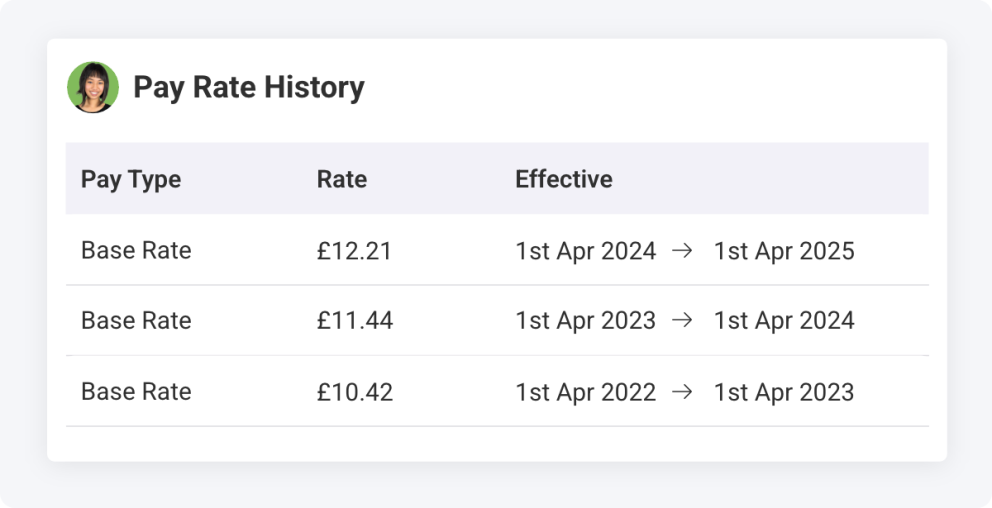
You can now access an employee’s full history of pay rates directly within Shiftie. This update makes it easier to audit payroll for previous months and verify what rates were in place before any changes occurred.
February 2026 Product Updates
Last updated: 2nd February, 2026Team Filter Improvements
Managing teams through periods of change can be time-consuming, especially when individual employee details need updating. While Team Bulk Actions already help to streamline large-scale updates, we know there are times when a more tailored approach is required.
To make this process smoother, the Team page now remembers your selected filters when you navigate away and return, saving you from repeatedly resetting your view. We’ve also introduced two new filter options to help you quickly identify employees who are not yet assigned to a group or schedule. This reduces manual searching and cuts down on endless scrolling.
December 2025 Product Updates
Last updated: 9th December, 2025Pay Rate Enhancements
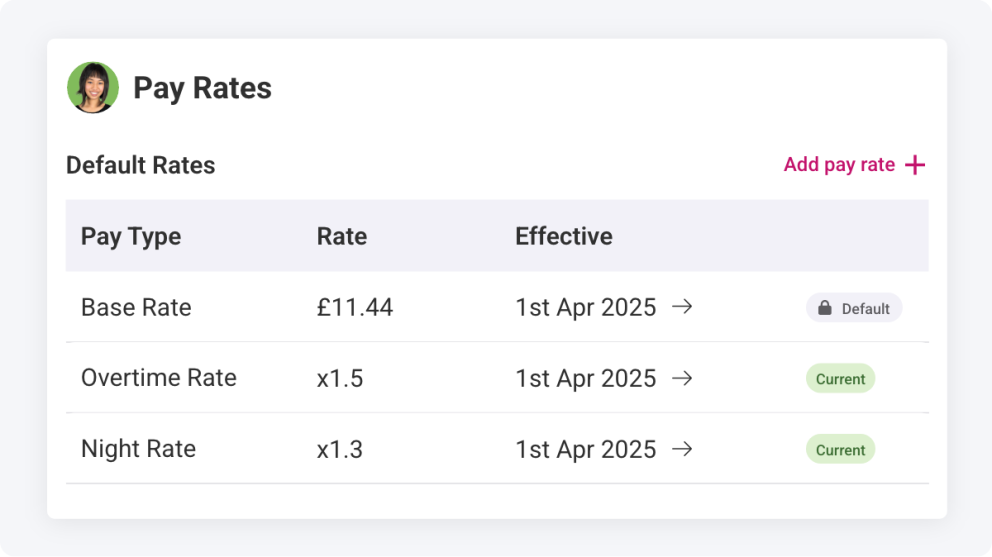
Managing employee pay just got simpler. You can now easily add different pay rates for employees as well as preset them for future dates, ready for employee pay rises or minimum wage increases. Additionally, you’ll be able to manage overtime, public holiday, and night rates for each job role an employee can work, making your schedule costs and reports more accurate.
November 2025 Product Updates
Last updated: 24th November, 2025Employee export date of birth column
The employee export now includes each team member’s date of birth, giving you clear visibility into workforce demographics. With this added detail, you can more easily review ages and identify when pay adjustments or updates to other employment information may be appropriate.
Bulk message assigned team members
Last-minute schedule changes often need to be communicated fast. With this new bulk action, you can simply select the relevant shifts and send a message to all assigned team members in one streamlined step.
September 2025 Product Updates
Last updated: 25th September, 2025View Archived Employee Contact Details
Archived employee contact details are now accessible directly within Shiftie. By clicking on an archived employee, you can immediately view their contact information, making it easy to reconnect or follow up without delays. This ensures smooth communication with past team members whenever needed.
Employee Pronouns
Employees can now share their pronouns, helping teams communicate with respect and confidence. By removing guesswork and misassumptions, everyone feels valued, helping create a happier and more inclusive workplace.
May 2025 Product Updates
Last updated: 19th May, 2025Team Export
Using the team export action, you can now export a list of your team members to CSV format for HR management or other external purposes. We’ve also adjusted the team header so it’s easier to find the actions you’re looking for.
Team Sort Options
Struggling to find the employee you need to manage in the team list? With additional team sorting options, you can now choose how the list is sorted, so it’s quicker to find the employee and update their details. Top tip: Use the bulk actions to make team updates much quicker!
